

Your agent proposes. You confirm.
Uncram includes an MCP server, so AI agents such as Claude Code, Codex, Cursor and Claude Desktop can ask what fills your Mac, explain a folder and propose a cleanup. A proposal only opens Uncram's confirmation sheet. Nothing is removed until you confirm it, and everything goes to undo first.
Updated
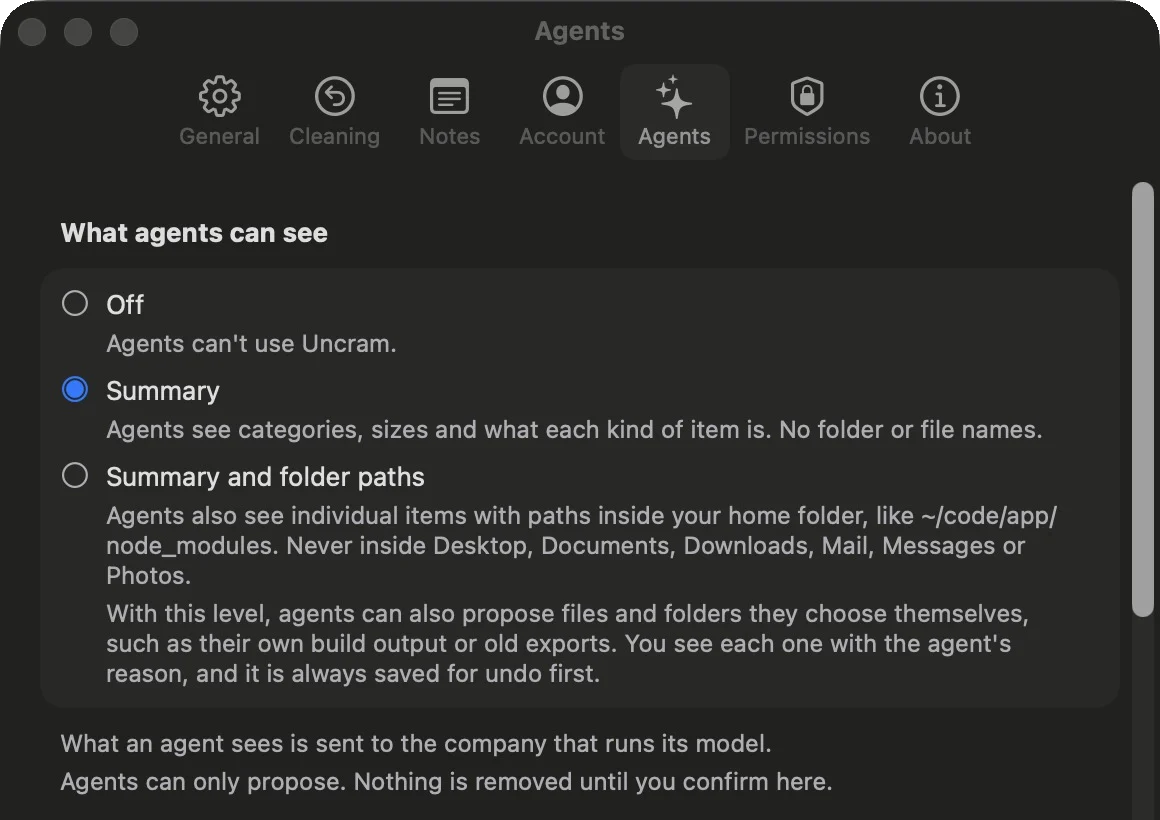
You choose what an agent sees.
- Off
- Agents can't use Uncram. This is the default.
- Summary
- Categories, sizes and what each kind of item is. No folder or file names.
- Summary and folder paths
- Also individual items with paths inside your home folder, like ~/code/app/node_modules. Agents can propose their own build output or old exports, each with a reason you can read.
No level shows what is inside Desktop, Documents, Downloads, Mail, Messages or Photos.
What an agent sees is sent to the company that runs its model. Uncram stores no keys and connects to no AI service itself.
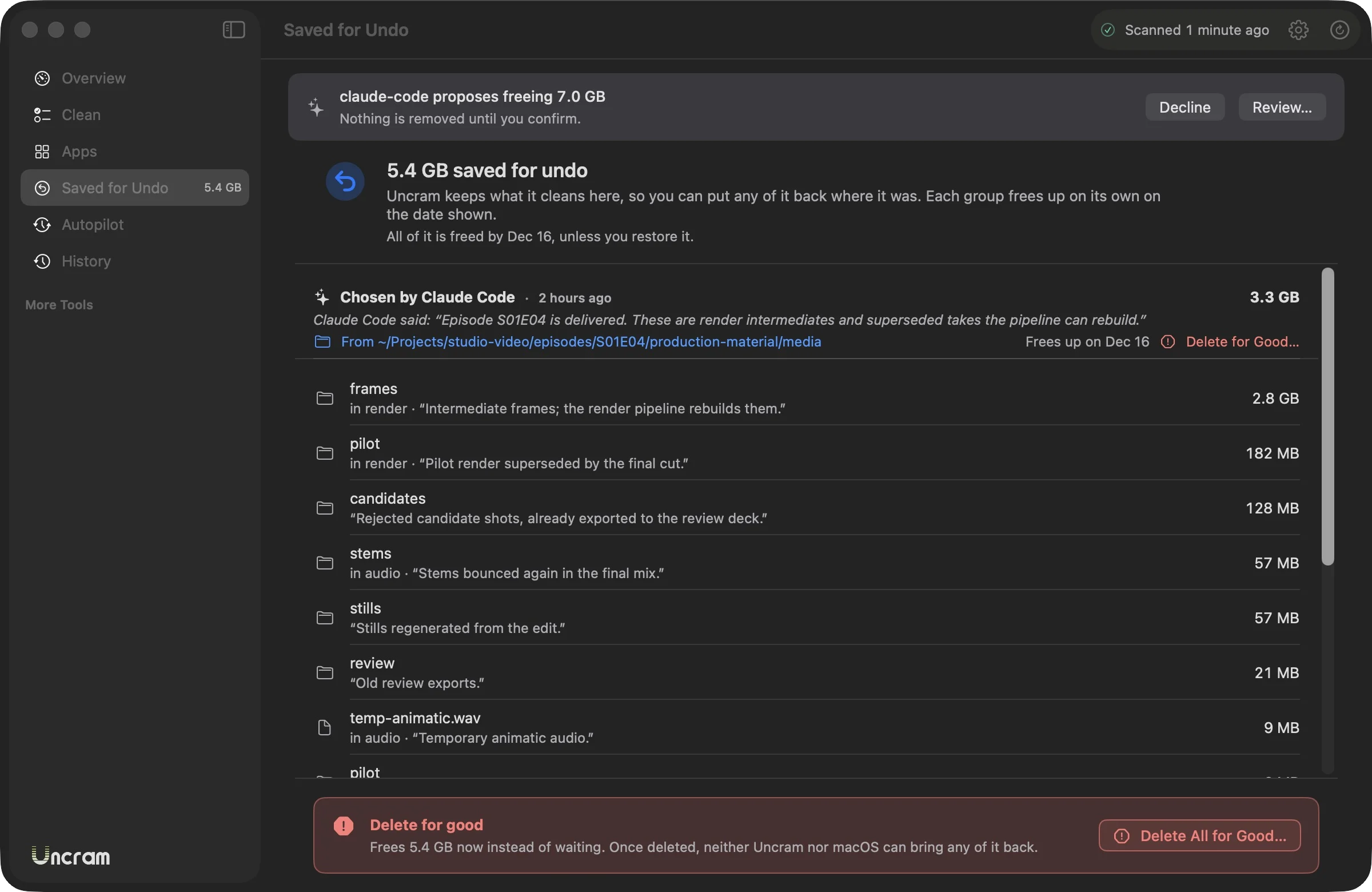
How a proposal arrives.
- The agent asks for a preview and then sends one request with a short message.
- Uncram shows a banner: who proposes what, and that nothing moves without you.
- You review it in the usual sheet. Uncheck anything. Items the agent chose itself are grouped apart with its reasons.
- Confirm or decline. One proposal waits at a time and expires after 24 hours.
What the engine refuses.
- Anything outside your home folder, or the home folder itself.
- Shared folders, private zones and Uncram's protected list.
- Anything you asked to keep, even inside another folder.
- Folders with a .git, a .env or a photo library inside.
- Files git tracks, cloud files and links that point elsewhere.
- Proposals over 100 GB.
Connect Claude Code.
Turn on access in Uncram's Settings, Agents, then run this in Terminal. Settings shows the setup for Codex, Cursor and Claude Desktop too.
claude mcp add --scope user uncram -- "/Applications/Uncram.app/Contents/Helpers/uncram-mcp"AI agents are part of Uncram Pro.
The 13 tools.
Read tools never change anything. request_cleanup only opens the sheet; undo_cleanup puts a cleanup back.
- disk_status
- Free space and what Uncram keeps for undo.
- scan
- Starts a scan of the home folder.
- list_findings
- What the last scan found, by category.
- explain_path
- What a folder is, who owns it and what happens if it goes.
- space_map
- Where the space went: the biggest folders and what they are.
- list_history_sources
- Folders that only grow, such as agent conversations.
- preview_trim
- What keeping only recent days of a history would free.
- list_notes
- Your notes and decisions on folders, so the agent respects them.
- preview_cleanup
- What a cleanup would include, checked like a real one.
- request_cleanup
- Opens Uncram's confirmation sheet with the agent's message.
- get_request
- Whether you confirmed, declined or let a proposal expire.
- list_cleanups
- Past cleanups and what is still saved for undo.
- undo_cleanup
- Puts a cleanup back where it was.

Make room. Keep everything.
Download Uncram, run one scan and read what fills your Mac. Nothing moves until you confirm.
For macOS 14 Sonoma or later. Free to download, with Uncram Pro inside the app.