

How to clear Xcode DerivedData safely
Xcode keeps project indexes, logs and build products in ~/Library/Developer/Xcode/DerivedData. Apple says it can be re-created at any time from your source files, so it is safe to delete with Xcode closed. Simulators and old runtimes take even more space; remove them from Xcode's Components settings or with simctl.
Do it by hand.
Quit Xcode first, then clear each part.
- In Finder, choose Go, Go to Folder, and open
~/Library/Developer/Xcode/DerivedData. Move its contents to the Trash. - Or in Terminal:
rm -rf ~/Library/Developer/Xcode/DerivedData/* - To delete simulators your Xcode no longer supports:
xcrun simctl delete unavailable - To see and remove old simulator runtimes, choose Xcode, Settings, Components, then the info button next to a runtime and Delete.
- Old app archives live in
~/Library/Developer/Xcode/Archives. Keep the ones you may need to symbolicate crash reports.
Do it with Uncram.
- Choose the Developer setup when you start Uncram, or switch to it in Settings, General.
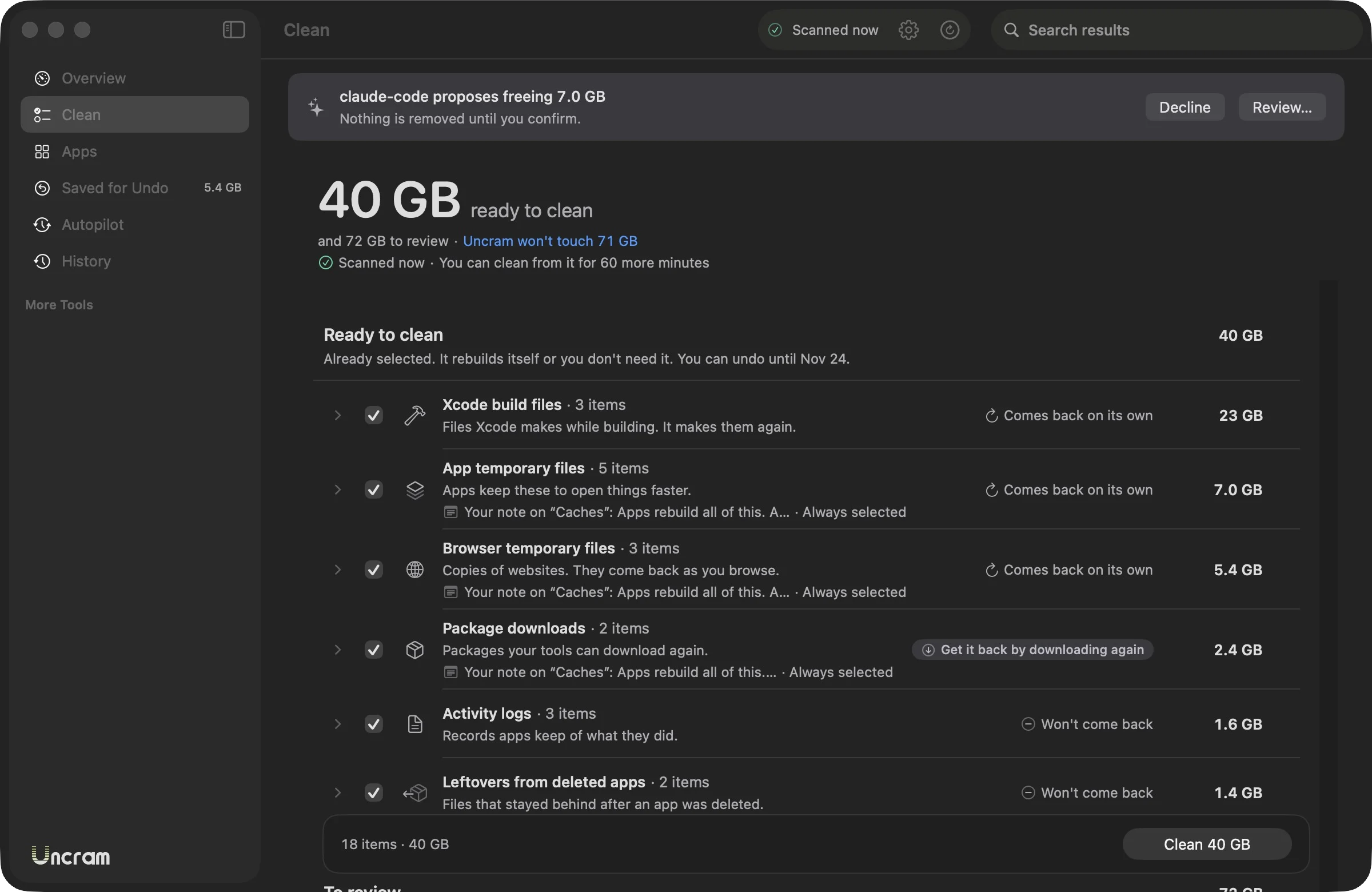
- Scan. Xcode build files, simulator caches, partial downloads and device symbols appear with their size.
- Xcode build files are Safe and come selected. Archives are Review, so they never are.
- Clean with Xcode closed. If Xcode is open, Uncram leaves its files and tells you.
- The next build takes longer while Xcode recompiles. Your source code is never touched.
Questions.
Is it safe to delete DerivedData?
Yes. Apple describes it as project indexes, logs and build products that can be re-created at any time from your source files. Delete it with Xcode closed; the next build of each project takes longer.
Why does DerivedData grow so large?
Every project and every scheme you build keeps its own folder of intermediate files and indexes, and Xcode doesn't remove folders of projects you stopped opening.
Can I move DerivedData to another disk?
Yes. Xcode's Locations settings let you set Derived Data to Default, Relative to the project, or a custom folder.
What does xcrun simctl delete unavailable do?
It deletes simulator devices that the current Xcode SDK no longer supports. Devices you can still run are left alone.
Sources
- Apple: Xcode Help, Locations and Derived Data
- Apple: Downloading and installing additional Xcode components
Sources checked on 17 November 2026.

Make room. Keep everything.
Download Uncram, run one scan and read what fills your Mac. Nothing moves until you confirm.
For macOS 14 Sonoma or later. Free to download, with Uncram Pro inside the app.